3Dプリント用フィラメントが適切に保管されているかどうかを判断するには?

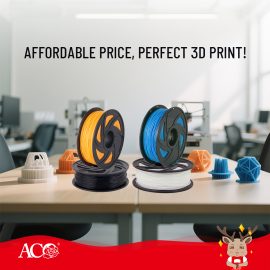
The storage condition of 3D printing filament directly affects the stability of the printing process and the quality of the model. Even high-quality filament can experience problems such as stringing, bubbles, and breakage if improperly stored. 1. Observe the filament's appearance: Well-stored filament typically has a smooth surface, uniform color, and no obvious discoloration, cracks, or signs of moisture. If the filament appears white or brittle, it may have been affected by the environment. 2. Check its performance during printing: Damp filament is prone to producing bubbles or crackling sounds when heated, and may cause uneven extrusion, a rough surface, and increased stringing during printing. 3. Pay attention to the […]

なぜインクの色が時々、本来の色と違って見えることがあるのでしょうか?

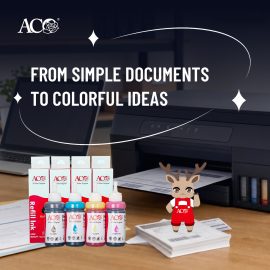
Color off-color is a common problem in inkjet printing, usually manifesting as a discrepancy between the printed color and the screen display or expected result. This phenomenon is often caused by a combination of factors. 1. Ink formulation and color ratio mismatch: Different brands of ink have different toner ratios. If the red, yellow, and blue (or CMYK) ratios are not precisely controlled, overall color off-color or color distortion can easily occur. 2. Printer color management settings: Incorrect color modes, ICC profiles, or printing software settings in the printer driver can also lead to color output deviations. 3. Paper type affects color rendering: Different papers have different ink absorption properties […]

印刷濃度とトナーにはどのような関係があるのでしょうか?

Print density is a crucial indicator of the darkness and clarity of printed content, and toner is one of the core factors affecting print density. 1. Toner quality affects blackness performance. High-quality toner particles are uniform and have stable flowability, forming a uniform coverage on the paper surface, resulting in higher print density and clearer text. 2. Toner formulation determines print quality. Different toner formulations affect melting performance and adhesion. If the formulation is mismatched, problems such as grayish printing, pale colors, or insufficient image detail may occur. 3. Toner particle size affects density stability. Overly coarse particles may lead to rough printing, while overly fine particles may affect flowability. […]

HP/Canon/OKI製プリンター対応の新型互換トナーカートリッジシリーズ

ACO introduces a new range of compatible toner cartridges for HP, Canon, and OKI printer systems, designed to expand global product coverage while maintaining stable and reliable printing performance for aftermarket supply chains. Each cartridge is engineered to ensure consistent output quality, reliable page yield, and smooth compatibility with targeted printer models, supporting distributors, resellers, and channel partners in building a more complete product portfolio. Covering key series such as HP W9100 series, Canon CRG-075 and T10 series, and OKI C532 series, this new arrival lineup is developed to meet diverse printing needs across office, commercial, and high-volume environments. With a strong focus on quality consistency and scalable supply capability, […]

Is higher paper whiteness always better?

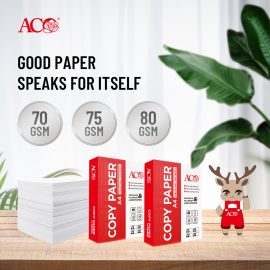
Many people believe that the whiter the paper, the better when choosing printing paper. In reality, paper whiteness is just one indicator of paper quality, and higher whiteness isn't necessarily better for all printing scenarios. 1. Whiteness Affects Visual Effects: Higher whiteness paper enhances the contrast of text and images, making content appear clearer and more vivid. Therefore, it's often used for business documents, promotional materials, and high-quality printing. 2. Excessive Whiteness May Affect Reading Comfort: Some ultra-high whiteness papers increase glare, which can easily cause eye strain during prolonged reading, especially in bright light. 3. Whiteness Doesn't Equal Paper Quality: The smoothness, thickness, stiffness, fiber quality, and ink absorption […]

What are the differences between dye-based ink and pigment-based ink?

In printing consumables, ink is mainly divided into dye-based ink and pigment-based ink. They differ significantly in composition, applicable scenarios, and printing effects. 1. Composition Differences Dye-based ink: The pigment in the ink is completely dissolved in water or solvent. Its molecules are small and can penetrate into the paper fibers. Pigment-based ink: The pigment in the ink is suspended in the liquid as tiny particles. It does not dissolve and can adhere to the paper surface. 2. Printing Effects Dye-based ink: Vibrant colors and natural transitions, suitable for photo printing and high-saturation images. Pigment-based ink: Water and light resistant, with clear text edges, suitable for document printing and long-term […]

What causes stringing during 3D printing?

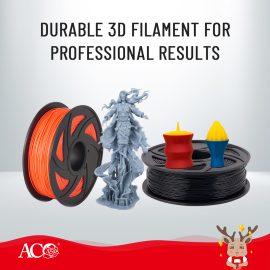
Stringing is a common problem in 3D printing, manifesting as fine, thread-like residue between parts of the model, affecting the appearance quality. Its occurrence is usually related to printing parameters and material properties. 1. Overheating: Excessive nozzle temperature increases material flow, making it easier for fine filaments to be drawn out during nozzle movement, resulting in stringing. 2. Improper Retract Settings: Insufficient retract distance or speed fails to effectively prevent material from continuing to flow out during nozzle movement, a major cause of stringing. 3. Printing Speed ​​and Movement Path: Too slow a nozzle movement speed or an unreasonable path increases the chance of material overflow, resulting in more fine […]

🔥 New Arrival | Built for Global Market Demand

Expanding your toner catalog? ACO brings you a comprehensive compatible toner solution lineup engineered for multi-brand performance. ✔ Compatible with Ricoh, Sharp, Canon & Lexmark Whether you're serving local distributors or cross-border markets, ACO helps you deliver consistent quality with scalable supply capability. 📊 More models. More opportunities. More growth. 🌐 www.acotoner.com

Why do some printed pages show black lines or spots?

During routine printing operations, the appearance of black lines or spots on pages is a relatively common issue, typically related to the condition of the toner cartridge or specific printing components. 1. Damaged or Aged Photosensitive Drum If the surface of the photosensitive drum sustains scratches or wear, it will result in recurring black lines or spots appearing on the printed pages. 2. Uneven Toner Distribution or Impurities Inconsistent toner quality or the presence of impurities mixed into the toner can lead to the appearance of black spots or smudges during printing. 3. Faulty Cleaning Blade or Magnetic Roller A worn cleaning blade or an uneven magnetic roller surface can […]

How does toner particle size affect print sharpness?

In laser printing, toner particle size is a crucial factor determining print sharpness and image detail. Toner is not simply "black powder," but a functional material with precisely controlled particle size and distribution. 1. Finer particles result in finer images. Smaller, more uniform toner particles adhere more precisely to the photosensitive drum surface, creating finer text edges and smoother image transitions. This is especially critical for printing small text or high-resolution images. 2. Particle distribution affects uniformity. Not only average particle size, but also uniform particle distribution is equally important. Excessive particle size variation can lead to uneven development, increased background gray, or unstable black levels. 3. Overly fine particles […]

湿度が3Dプリント用フィラメントの性能に与える影響

3Dプリントプロセスにおいて、フィラメントの含水率はプリント品質を決定する重要な要素です。空気中の湿度が高すぎると、プラスチックフィラメントが水分を吸収し、プリント中に気泡や糸引き、表面の荒れなどの問題が生じ、モデルの精度や機械的強度に影響を及ぼします。1.吸湿材料の特性の違い フィラメントの種類によって吸湿特性が異なります。例えば、PLA、PETG、PA(ナイロン)は吸湿性の高い素材であり、数時間空気に触れるとかなりの水分を吸収する。ABS、HIPS、TPUは比較的吸湿性が低いが、長時間放置すると印刷の安定性に影響を及ぼす可能性がある。2.含水率が[...]に与える影響

シール付きトナーカートリッジを取り付けるには?

1. The toner in the toner cartridge is sealed in the powder bin during production. Shake the cartridge 6-8 times before use 2. Pull out the seal in the direction of the arrow 3. When pulling out the seal, pull it out evenly and straight to avoid breaking it 4. When installing the toner cartridge into the printer, install it correctly in the direction of the arrow marked

ウィーチャット
ウィーチャット
このページのトップへ