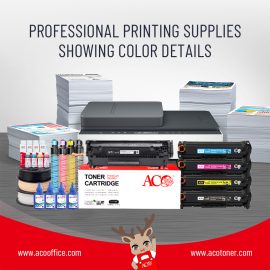
Professional Prints, Budget-Friendly Price

When it comes to printing, "quality" and "price" often seem to go against each other. But with ACO compatible cartridges, you no longer have to choose. It can output clear and sharp prints at a lower cost, making it the first choice for home and office users. Why customers love ACO: ✅ Significant cost savings Compared to original consumables, ACO compatible cartridges save up to 50–70%, suitable for high-volume printing users without worrying about budget. ✅ Excellent print quality The text is clear and the image is full. Whether it is business documents, work reports or express delivery labels, it can reach professional standards. ✅ Perfect compatibility and safety Compatible […]

互換トナーカートリッジの秘密:高品質で低コストの印刷ソリューション

Are you tired of paying high prices every time you buy a toner cartridge? You are not alone, and many users have the same problem. Fortunately, there is a simple solution: compatible toner cartridges. Compatible toner cartridges are often the best choice for users looking for a cost-effective printing solution. Here are their advantages: Save money: The biggest advantage of compatible toner cartridges is that they save money. Original toner cartridges are expensive, and compatible toner cartridges provide the same printing results at a lower price, allowing you to enjoy better value for money. Ensure print quality: Today's compatible toner cartridges have met strict quality standards, so you can use […]

お客様の声について

Last week we received a message from a Brazilian customer, he said: "We used your drums,and they are more stable than the original ones. We have replaced the whole office with ACO." In fact, he was just trying it out at first, because he had tried several compatible toner cartridge brands before, but they either leaked toner or jammed paper. We only sent five test samples, and he placed a full container order the next week. ★We always insist that if the product is reliable, customers will naturally stay. Are you still being "picky" by your printer? Perhaps ACO can make you worry about consumables for a whole year. Welcome […]

HPが新しいファームウェア・アップデートをリリース

HPは、同社のレーザープリンター向けに新しいファームウェアアップデート(バージョン2512A)をリリースしました。このアップデートは、カートリッジモデル「HP CF259」および「W2030/1/2/3」のユーザーに影響を及ぼします。 2025年5月27日に公開されたこのアップデートに対し、アフターマーケット業界では、使用不能になる可能性や互換性の問題が生じるのではないかという懸念が浮上しています。出典:therecycler  

シール付きトナーカートリッジを取り付けるには?

1. The toner in the toner cartridge is sealed in the powder bin during production. Shake the cartridge 6-8 times before use 2. Pull out the seal in the direction of the arrow 3. When pulling out the seal, pull it out evenly and straight to avoid breaking it 4. When installing the toner cartridge into the printer, install it correctly in the direction of the arrow marked

良いトナーカートリッジを選ぶには?

1. Check compatibility When buying a toner cartridge, make sure it is fully compatible with the printer model. This not only involves the model of the toner cartridge, but also pay attention to whether it is compatible with the specific version of your printer. 2. Understand the number of printed pages The number of printed pages of a toner cartridge is an important performance indicator, which directly affects the cost and frequency of use. Usually, the number of printed pages of a toner cartridge will indicate the number of pages and the total number of pages that can be printed by a single toner cartridge. 3. Pay attention to the […]

レーザープリンターのトナーカートリッジにトナーを充填する際の注意事項

1. Since the specific structure of each toner cartridge is different, you can study it according to the actual situation when replacing it, remember the steps and the location of the accessories, and make sure it can be removed and installed. 2. The added toner should be the toner of the same model of laser machine, otherwise it will shorten the use time of the toner cartridge and pollute the machine. 3. Wear a mask and put newspaper on it when replacing, because the toner contains toxic substances. 4. After disassembling the toner cartridge, replace the necessary accessories. For example, if the base powder is heavy and black vertical stripes […]

HPのファームウェア・アップデートを確認

HPファームウェアのアップデートは、サードパーティ製カートリッジの互換性に影響を与え続けている。最新バージョンはOfficeJetとLaserJetモデルに影響を与え、インストール前に確認するようユーザーに促している。HPは、様々なOfficeJetおよびLaserJetプリンタに影響を与える新しいファームウェア・アップデートをリリースし、サードパーティ製カートリッジに依存しているユーザーの間で懸念が高まっている。2025年5月6日付のファームウェアバージョン2514Aは、7720、7730、7740、8210、8710、8715、8720、8725、8730、8740を含むHP OfficeJet Proモデルに適用される。このアップデートは、HP 953シリーズのカートリッジを使用するプリンタに影響します。2025年4月30日付の別のファームウェアリリース、バージョン2513Aは、W1490A/XおよびW1390A/Xトナーカートリッジを使用するHP LaserJet Pro 4001、4002、4102およびMFP 4101デバイスに影響します。記事ソース:therecycler

How do inkjet printer plugs form?

Because the print head is not sealed tightly after normal printing or is left for a long time, the water evaporates excessively, causing the ink particles to dry on the fine tip of the print head, making the ink unable to spray normally; or different inks are mixed with each other, resulting in chemical reactions, which usually manifest as frequent line breaks, color loss, blurred handwriting, or even failure to print normally.

ウィーチャット
ウィーチャット
このページのトップへ