Why might high temperatures affect toner cartridge performance?

Using or storing toner cartridges in high-temperature environments can significantly impact their performance, consequently affecting print quality and equipment stability. 1. Changes in toner flowability: High temperatures can cause toner to become looser or even clump, affecting its uniform distribution on the magnetic roller and leading to issues like graying, uneven printing density, or poor background graying. 2. Degraded photosensitive drum performance: Photosensitive drums are highly sensitive to temperature. High temperatures can accelerate their aging, reducing photosensitivity and thus affecting print clarity and lifespan. 3. Impact on sealing structure: Prolonged high temperatures can cause deformation or aging of internal seals within the toner cartridge, increasing the risk of toner leakage […]

How does paper surface treatment affect ink absorption?

The surface treatment of printing paper directly affects the ink absorption speed, diffusion rate, and final print quality. Different types of paper exhibit significant differences in performance. 1. Smoother Surface, Less Ink Diffusion Coated paper (such as photo paper or inkjet paper) has a smoother surface and an ink-absorbing layer, effectively controlling ink diffusion and resulting in sharper image edges and richer colors. 2. Ink-absorbing Layer Determines Drying Speed High-quality paper typically has a specialized ink-absorbing coating that quickly absorbs and fixes ink, reducing smudging and ghosting, while improving printing efficiency. 3. Surface Roughness Affects Clarity Ordinary copy paper has a relatively rough surface, allowing ink to diffuse easily. It's […]

ACO Invites You to the 139th Canton Fair

ACO is pleased to invite you to visit us at the 139th Canton Fair in Guangzhou, China. Date: May 1–5Booth: Area B, Booth 11.3M17Venue: China Import and Export Fair ComplexAddress: No. 382, Yuejiang Middle Road, Haizhu District, Guangzhou, Guangdong, China At the exhibition, we will showcase our latest office printing consumables and supplies, including: Toner cartridges Ink Toner powder A4 copy paper We sincerely welcome you to visit our booth and explore cooperation opportunities with us. Company: Shenzhen Asta Co., Ltd.Website: www.acotoner.com / www.acooffice.comEmail: Marketing@acooffice.comTel: +86-13798258787

How to Reduce Printer Ink Waste?

Ink waste not only increases costs in daily printing but also affects equipment efficiency. Proper use and optimized settings can effectively reduce unnecessary consumption. 1. Use the Appropriate Print Mode For everyday documents, choose "Draft Mode" or "Economy Mode" to reduce ink consumption without affecting readability. 2. Avoid Frequent Power On/Offs Inkjet printers automatically clean themselves upon startup, consuming ink. Reducing frequent power on/offs helps minimize wear and tear. 3. Print Regularly to Prevent Printhead Clogging Long periods of inactivity can cause the printhead to dry out, requiring additional cleaning and wasting ink. It's recommended to print small amounts of documents regularly to keep the printhead clear. 4. Use Appropriate […]

Why does printing temperature affect 3D model quality?

In the 3D printing process, printing temperature is one of the key parameters affecting model quality. Improper temperature settings often directly lead to printing defects. 1. Too Low Temperature: Poor Bonding When the nozzle temperature is too low, the filament cannot melt sufficiently, resulting in insufficient adhesion between layers, easily leading to delamination, cracking, or reduced strength. 2. Too High Temperature: Reduced Detail Excessive temperature causes excessive material flow, resulting in blurred edges, severe stringing, and even collapse or deformation of the model. 3. Different Materials Have Different Temperature Requirements Different filaments (such as PLA, ABS, PETG) have their own optimal printing temperature ranges. If the temperature is not adjusted […]

Why are some types of paper prone to paper jams?

In daily printing, paper jams not only affect efficiency but can also damage printing equipment. The quality and characteristics of the paper itself are a significant contributing factor. 1. Damp or excessively dry paper: Damp paper is prone to warping and sticking together, while excessively dry paper is prone to static electricity, both leading to uneven paper feeding and paper jams. 2. Incompatible paper thickness or size: Using paper that does not meet the printer's requirements (too thick or too thin) will affect the gripping of the paper feed rollers, increasing the risk of paper jams. 3. Rough or uneven paper surface: Low-quality paper with an uneven surface is prone […]

🔥 New Arrival | Built for Global Market Demand

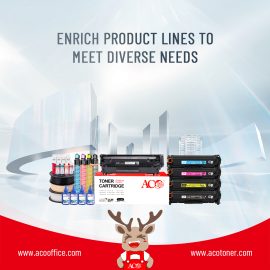
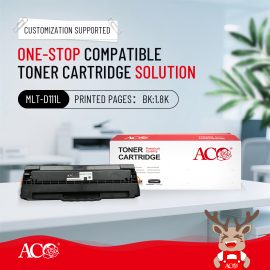
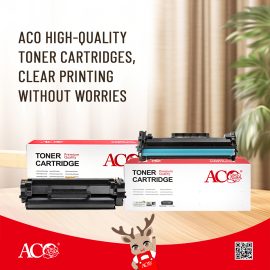
Expanding your toner catalog? ACO brings you a comprehensive compatible toner solution lineup engineered for multi-brand performance. ✔ Compatible with Ricoh, Sharp, Canon & Lexmark Whether you're serving local distributors or cross-border markets, ACO helps you deliver consistent quality with scalable supply capability. 📊 More models. More opportunities. More growth. 🌐 www.acotoner.com

Why do some printed pages show black lines or spots?

During routine printing operations, the appearance of black lines or spots on pages is a relatively common issue, typically related to the condition of the toner cartridge or specific printing components. 1. Damaged or Aged Photosensitive Drum If the surface of the photosensitive drum sustains scratches or wear, it will result in recurring black lines or spots appearing on the printed pages. 2. Uneven Toner Distribution or Impurities Inconsistent toner quality or the presence of impurities mixed into the toner can lead to the appearance of black spots or smudges during printing. 3. Faulty Cleaning Blade or Magnetic Roller A worn cleaning blade or an uneven magnetic roller surface can […]

What are the different paper requirements for different printing technologies?

Different printing technologies impose distinct requirements on paper; selecting the appropriate paper can significantly enhance print quality and help protect the printing equipment. 1. Laser Printing Laser printing relies on high-temperature fusing to bond toner to the page; consequently, it places high demands on the paper's heat resistance. Generally, standard copy paper or specialized laser paper is suitable; the paper surface must be smooth and resistant to deformation. 2. Inkjet Printing Inkjet printing requires paper with excellent ink absorption properties. Specialized inkjet paper or photo paper effectively prevents ink bleed, thereby enhancing color vibrancy and image clarity. 3. Dot Matrix Printing Primarily used for printing receipts and forms, this technology […]

Why is high-quality compatible food more and more popular?

With the development of printing technology and the increase of office needs, compatible printing consumables gradually become the choice of more and more enterprises and individual users. Compared with traditional original packaging consumables, high-quality compatible consumables show obvious advantages in terms of cost, performance and environmental protection. 1. More cost-effective High-quality compatible consumables guarantee a stable printing effect, while the price is usually significantly lower than the original product. For enterprises, schools and government organizations that need a large amount of printing, it can effectively reduce office costs. 2. Print performance can't be improved With the progress of manufacturing technology, high-quality compatible consumables have been greatly improved in terms of […]

What are some common misconceptions when purchasing compatible toner cartridges?

When purchasing compatible toner cartridges, many buyers often focus only on price or sample performance, neglecting some key factors. 1. Focusing solely on price while ignoring quality stability: While price is important, excessively low prices often indicate compromised materials or manufacturing processes. 2. Testing only samples without considering mass production capabilities: Some suppliers' samples perform well, but the same quality cannot be maintained in mass production. 3. Ignoring page yield and actual cost: Some toner cartridges are inexpensive, but low page yield or insufficient print density can lead to higher actual operating costs. 4. Neglecting after-sales and technical support: If the supplier lacks technical support or responds slowly when printing […]

How does toner particle size affect print sharpness?

In laser printing, toner particle size is a crucial factor determining print sharpness and image detail. Toner is not simply "black powder," but a functional material with precisely controlled particle size and distribution. 1. Finer particles result in finer images. Smaller, more uniform toner particles adhere more precisely to the photosensitive drum surface, creating finer text edges and smoother image transitions. This is especially critical for printing small text or high-resolution images. 2. Particle distribution affects uniformity. Not only average particle size, but also uniform particle distribution is equally important. Excessive particle size variation can lead to uneven development, increased background gray, or unstable black levels. 3. Overly fine particles […]

ウィーチャット
ウィーチャット
このページのトップへ