
 KO
KO  EN
EN  DE
DE  IT
IT  FR
FR  RU
RU  ES
ES  JA
JA  PT
PT  DA
DA  TH
TH  MN
MN  VI
VI  AR
AR 
제품 뉴스

How Often Do Laser Printer Cartridges Need to Be Replaced?
How often do laser printer cartridges need to be replaced? Laser printers because of the large print volume of a single toner cartridge, a toner cartridge filled with toner can print thousands of sheets, which has led to the popularity of laser printers. Many households have also purchased laser printers, so we need to prompt […]

How to Solve the Paper Jam
The most troublesome problem in copying work is “paper jam”, which accounts for more than 80% of copier failures. Due to the limitation of the working principle, copying machine jams are inevitable. All we can do is to take various measures to minimize the occurrence of "jam". The paper jam rate of a good copying […]
How Is the Color Performance of Laser Printers?
What is the color performance of laser printers? There are two most direct advantages of laser printers for inkjet printers 1, the printer is fast 2, the cost of consumables is low, but his shortcomings relative to inkjet printers is that only four colors (CMYK) all colors are completed by color registration, so the color […]
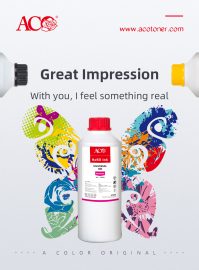
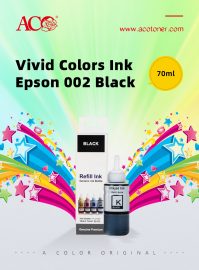
ACO Epson ink
Imported raw materials, it is 100% compatible with the original. The color is realistic and the color gamut is wide. Epson ink has a wide matching medium. Epson 002 black ink is hot sell in 2019.
프린트헤드는 어떻게 청소하나요?
HP 프린트헤드를 자동으로 청소하는 방법 인쇄 품질 문제를 해결하는 가장 쉬운 방법은 프린터에서 청소 기능을 실행하는 것입니다. 청소 기능은 모든 HP 프린터 모델의 소프트웨어에 포함되어 있으며, 일반적으로 프린터 디스플레이 메뉴의 “프린터 유지 관리” 섹션에서 찾을 수 있습니다. 프린터 사용 설명서를 참조하십시오 […]
Notable Difference Between Ink Tanks And Ink Cartridges
Thanks to technology, customers now have a wider variety of printing options to choose from when looking for a printer of their choice. When buying inkjet printers, in particular, one has to decide whether they would prefer an inkjet printer that uses an ink tank one that uses ink cartridges. Until very recently, manufacturers sold […]
Several ways to save color ink in printers
1. Select print quality on-demand The ink consumption of inkjet printers is directly proportional to its print quality and resolution. We should choose the appropriate print resolution and print quality according to different application requirements. When printing on documents with less demanding colors, you can use the quality type of “Text” mode to save ink […]
How do printing supplies prevent moisture in wet weather?
1. Ink moisture is printed in wet weather, and printed documents or patterns tend to appear pale and fuzzy, or even stained. The reason for this is that in addition to the moisture of the paper, the ink used by the printer is not waterproof and moisture-proof. Therefore, when choosing an inkjet printer, try to […]